1. There are two ways to add a page:
Option A.
From the left navigation in your Member's Area select Add Page
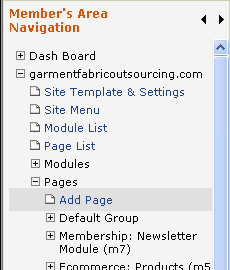
Option B.
From the left navigation in your Member's Area select Page List
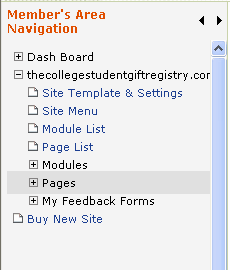
Then click the  button.
Note: Option A is faster than B. However, B is a natural way to go if you're already on the Page List screen. Also, when using B, you can instantly assign the newly created page to a group of pages by pressing Add Page button under the respective page group. With A, to assign a page to a other than Default group, you will have to use the top dropdown on the Add Page screen (see step 3 below).
3. Enter a Page Name, Page Title and Menu Item Label. Click here to learn more about the Add Page screen.
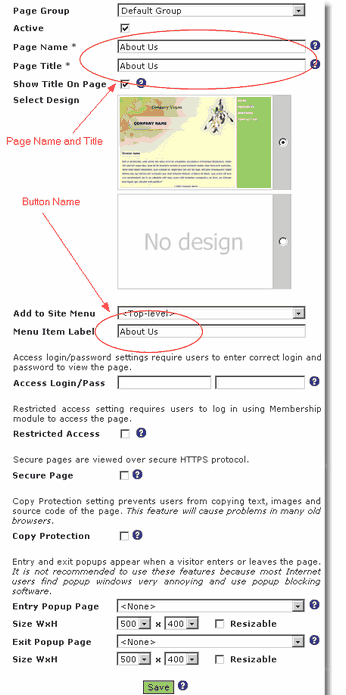
4. Click  to save your new page. You will be directed to your new page to start entering content.