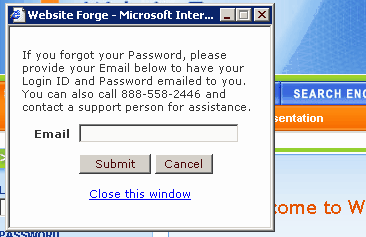
Your password should of been e-mailed to you upon purchase of your web site. Follow these steps to recover your password in the event you can not find it.
1. Visit www.websiteforge.com and click on the blue link called "Find Login and Password" to have your login and password e-mailed to you. This is located just under the "LOGIN NOW" button.

2. Once you click the "Find Login and Password" link, you are asked to enter your e-mail address. Make sure you use the SAME e-mail address you entered when you purchased your web site.