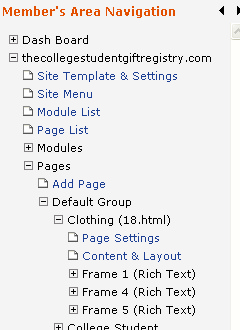
Your Member's area gives you control over hundreds of tools and features you can use to manage your web site. It's important you know what each of the menu items are and how to use them.
Member's Area Navigation
On the left side of your Member's Area you will see a navigation menu. This is considered your main navigation.
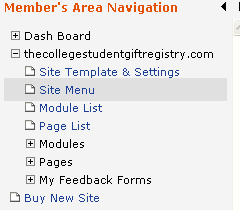
Under Dash Board you will find Important System Notice, Site List, Site Stats, My Profile, and Manage E-Mail.

Under the Dash Board menu, you will find your site and a plus sign next to it to expand that site's pages and tools. You'll find your Site Template & Settings, Site Menu, Module List, and Page List. You'll also find the expandable areas for Modules, Pages, and My Feedback Forms. At the very bottom will be an area to purchase a new site.
When you expand Pages and then the Default group, you'll notice that each page will also be expandable. These expandable menus allow you to switch views of your site page between the Page Settings and Page Content of the current page. You can also access individual page frames with these menus.