You can modify the width of the frame by using the Frame border, margins, and sizes icon on the toolbar.
1. Select the frame you want to change the width of by clicking inside of it. NOTE: You are only able to change the width of a frame after splitting one of the original full sized frames vertically.
2. Select the Frame borders, margins, and sizes icon from the toolbar.

3. If you have selected a frame that is adjustable by width, then the drop down for Width will be active.
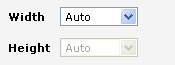
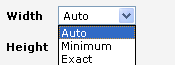
4. Auto means that the frame is allowed to grow and shrink with the amount of information that is already in it. Minimum means that the frame will only be able to use the minimum amount of space that is required for the information inside of it. Exact allows you to give an exact pixel amount for the width of the frame. Select the option that you wish to you use for that frame.
5. Click Apply and the frame will reflect the change if any was made.
