For users without a custom graphical design, you can choose a pre-designed layout for your site with different color options and in some cases a place for you to upload a logo or custom photo. If you have purchased a custom design, this will be done for you by your Project Manager.
Even if you have purchased a custom design -- you can choose to use a pre-designed layout temporarily until your design is completed. This is often done to help you launch your site more quickly.
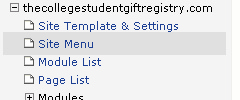
1. Go to the Site Template and Settings page using the left navigation menu.
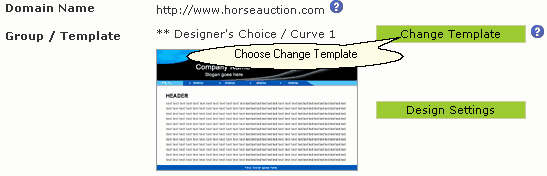
2. Click the Change Template button.
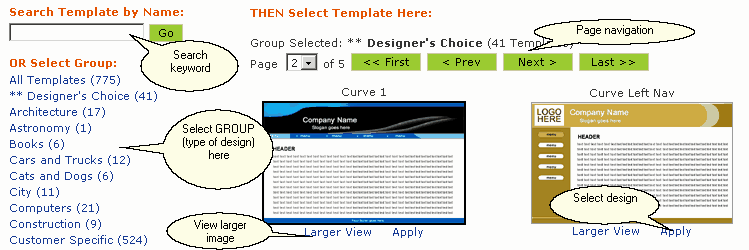
3. Using the navigation tools, select a design you would like to use. Click Apply to choose the design.
4. Press the  button to save your changes.
5. Click on the  button to further customize the design's color, logo, font sizes and styles. Click here to learn how to change your Design Settings
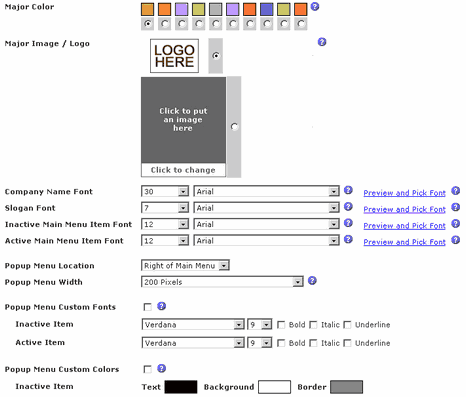
Screenshot of Design Settings page
 You can change your design as often as you wish. Play around with different options.
Make sure you test different Company Name, Slogan, and Menu Button fonts in the Design Settings area.
You can always click the  link at the top of the page to instantly view your changes.