For users without a custom graphical design, you can customize your site with your own company information. If you have purchased a custom design, this will be done for you by your Project Manager.
To update your company information:
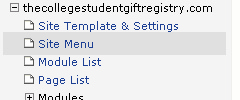
1. Go to the Site Template and Settings page using the left navigation menu
2. Update the Company Name, Slogan, and Footer text on the screen

3. Save your changes. Press the  button at the bottom of the page.
You can always click the  link at the top of the page to instantly view your changes