1. Go to the e-commerce module using the left navigation
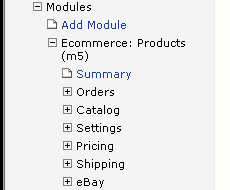
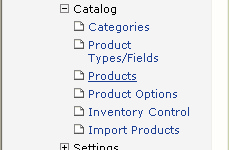
2. Click on the Products link under the Catalog section of the menu
3. Search for the product you would like to edit and click the  button located next to the product.

4. Make your product changes and click  to save you changes.
You can make a backup of your products by EXPORTING your products.